

Distributor
Creating a Distributor account
To access certain services, a distributor account is necessary, but worry not, creating one is incredibly simple. Follow the steps below to create your very own distributor account:
- Go to https://distributor.mycover.ai/get-started . This action will take you to the registration page.
- Fill in the basic required information such as your name and password.
- Click the signup button and an OTP will be sent to your email for verification. Once completed, you are in!
live_mode you are required to complete your KYC and await verification which usually takes up to 2 business days. However, if you are not ready to go live yet and just want to play around in test_mode you can skip this step.Quick Tour
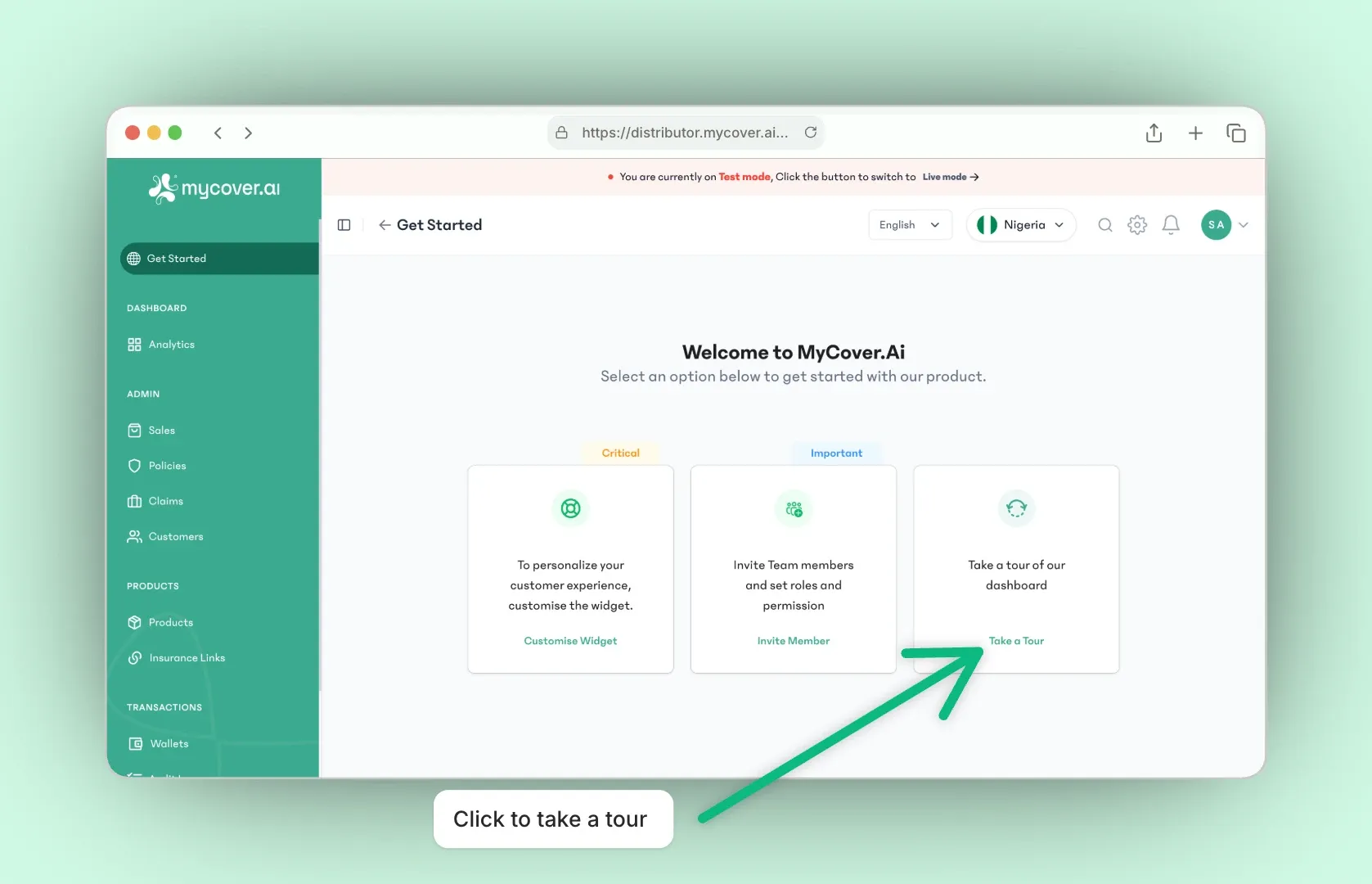
Clicking the "Take a Tour" button on the welcome page takes you to a page that guides you through a brief tour of our user-friendly Distributor dashboard, where you'll explore a comprehensive array of tools and features tailored to empower insurance distributors.
Testing
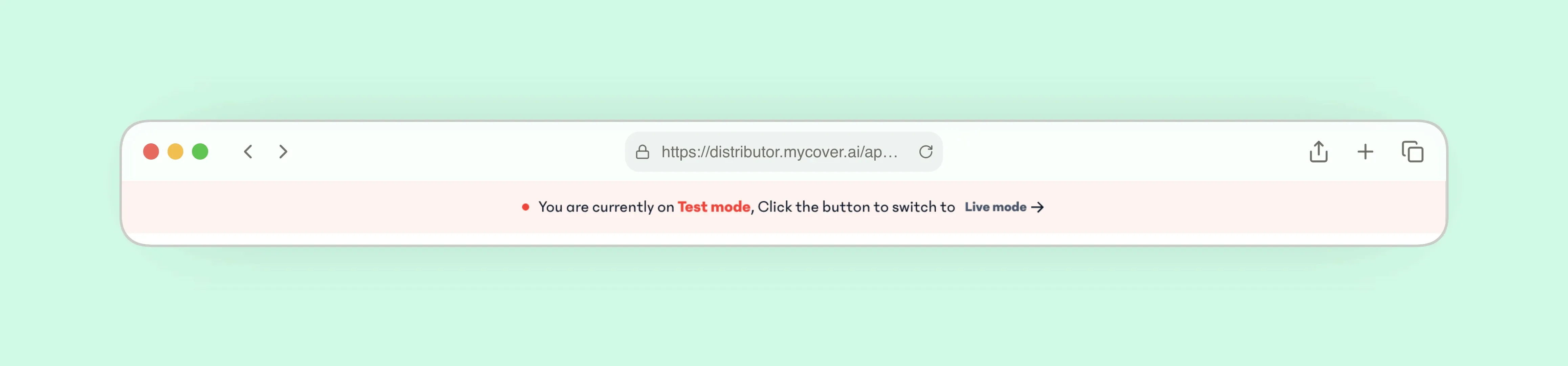
Upon signing up, you are automatically placed in test mode, identifiable by the sticky orange label at the top-center of every section page. Furthermore, the toggle button on the navigation bar is set to "Test mode" by default.
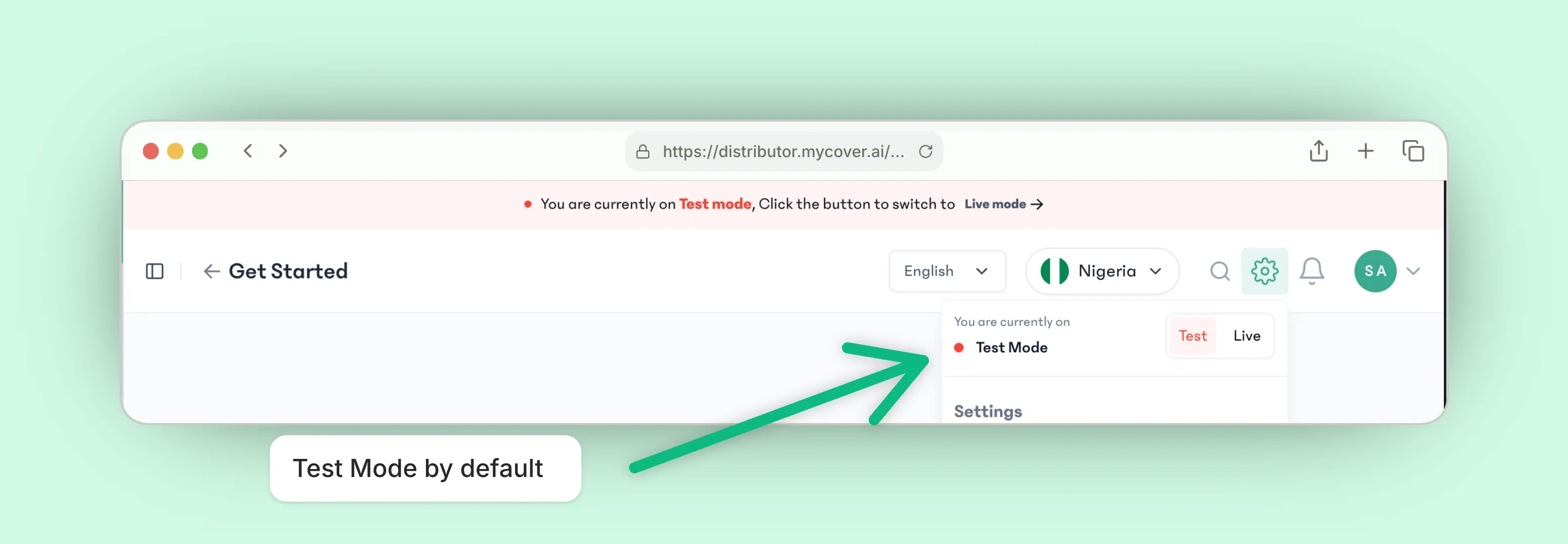
On test mode, you can play around with different products, making payments for policies and claims as you wish with guarantee that you are not spending real money.
Selling Products
To sell a product, go to the Products section. There, you'll find a list of all the available products. Click on the "View" button.
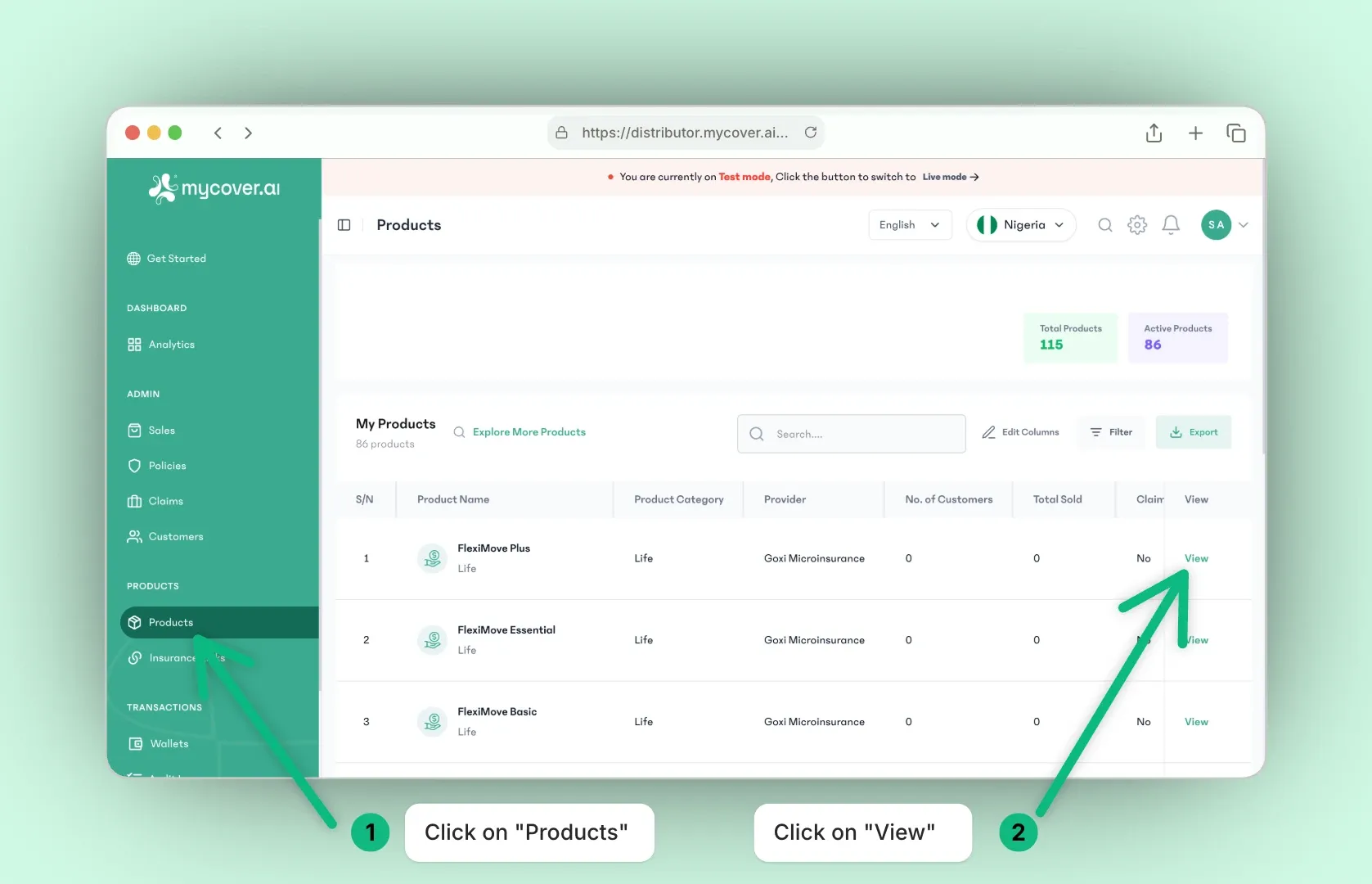
then click on the "Sell Product" button.
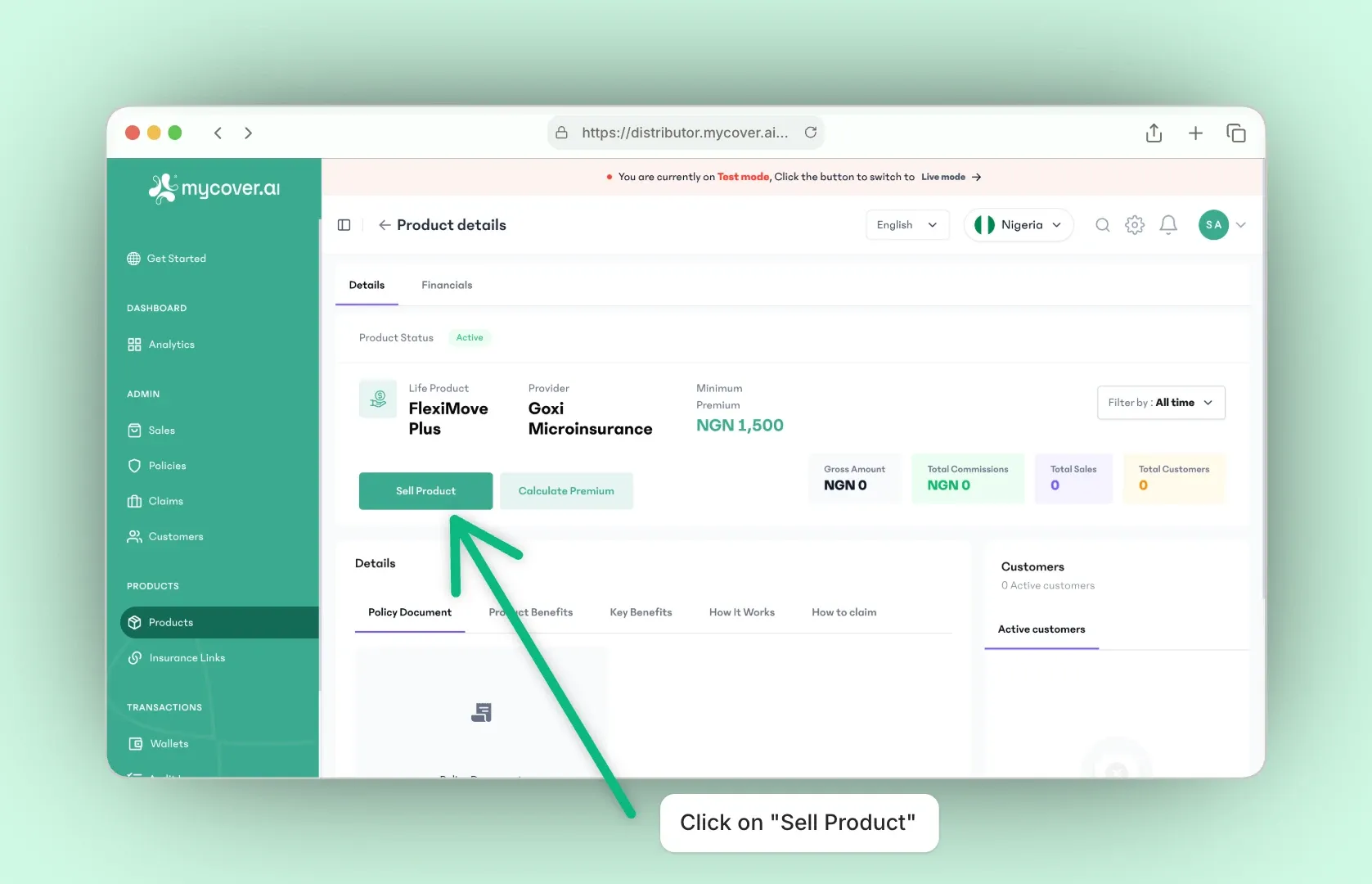
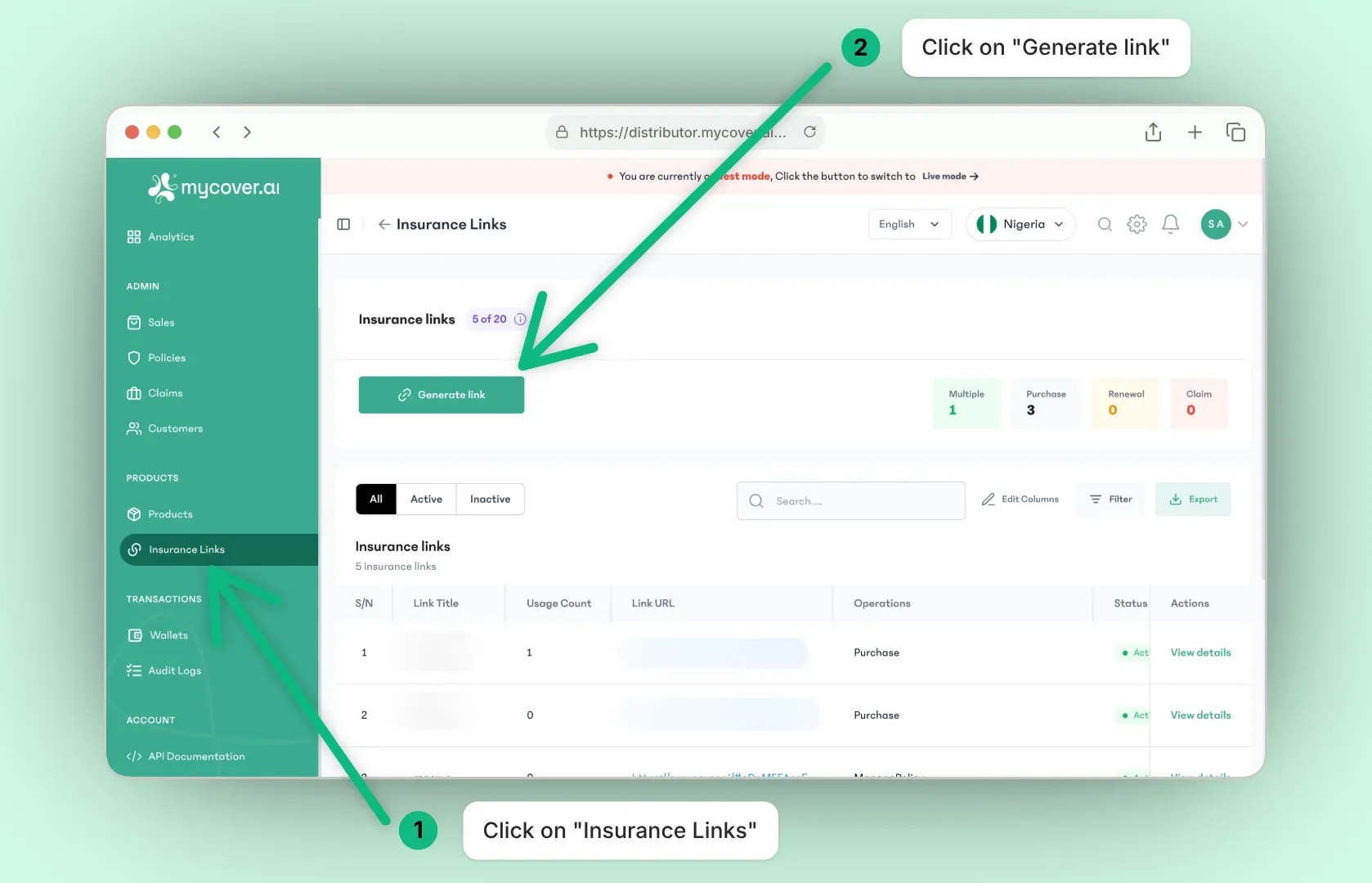
This method enables you to sell a product directly from the Distributor dashboard. Alternatively, you can generate a sharable link for a specific product or more and send it to a customer who will then purchase directly from that link.
Quick Start
This guide is designed to help you easily integrate to our SDK as a distributor. By following this guide, you will set up the SDK for purchasing insurance.
Environments
When working with MyCover.ai’s tools, you'll find that you’re provided two different environments. These environments are set up to give you the flexibility you need while also keeping your work secure as you build your product. Depending on where you are in the development process, you can switch between test and live environments.